
 Skip to content


Description
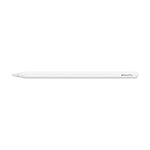
Apple Pencil Pro adds even more magical capabilities to help bring your ideas to life. Squeeze. Barrel roll. Haptic feedback. A custom haptic engine provides feedback that you can feel. When you squeeze or double-tap, a light pulse confirms the action. Apple Pencil hover. Preview exactly where your Apple Pencil will touch down on your display. So you can write, sketch, and illustrate with even greater precision. Double-tap.
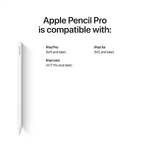
- FeaturesCOMPATIBILITY—Apple Pencil Pro works with iPad Pro 13-inch (M4 and M5), iPad Pro 11-inch (M4 and M5), iPad Air 13-inch (M2, M3, and M4), iPad Air 11-inch (M2, M3, and M4), and iPad mini (A17 Pro and A20 Pro).
- ADVANCED TOOLS—Apple Pencil Pro gives you ultimate creative control. Use gestures like Squeeze and Barrel Roll to access tools, change brushes, and create strokes without missing a beat. Haptics allow you to feel shapes snap into place, and more. Use Apple Pencil hover on iPad Pro (M4 and M5), iPad Air (M2, M3, and M4), and iPad mini (A17 Pro and A20 Pro) to preview your mark before you make it.* And now you can use Find My to locate your Apple Pencil Pro.
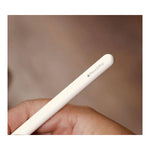
- EASY AND NATURAL—Apple Pencil Pro does it all with pixel-perfect precision, tilt and pressure sensitivity, and low latency. Featuring a flat edge, Apple Pencil Pro allows you to change tools with just a tap from your finger. Apple Pencil attaches, charges, and pairs magnetically.
- TRANSFORMS IPAD INTO A CANVAS—Draw, sketch, color, take notes, and mark up documents. And for pros, use Apple Pencil hover on iPad Pro (M4 and M5), iPad Air (M2, M3, and M4), and iPad mini (A17 Pro and A20 Pro) to preview your mark before you make it.*
Product Dimensions:
6.53 x 0.35 x 0.35 in
0.10 lbs
Shipping Dimensions:
7.00 x 0.60 x 0.60 in
YOU MIGHT ALSO LIKE